Skills
How to work.
Your team's checklists, formats and procedures as versioned instructions. Share one with people, groups or everyone; publish a new version and every chat and agent uses it.
The AI system your IT runsApache-2.0 core
Chat for everyone, agents in Chrome and Office, SDKs for your developers, and the models on your own GPUs. What large companies need whole departments for, your IT runs as one system.
$ pipx install fadenstack
$ faden deployOne Linux server with Docker. Your GPU machines join from the console.
Why one system
One team runs the GPUs, another the gateway, another the chat, and yet another decides which data may go where. Most organizations don't have those teams. Fadenstack gives your IT all of it as one system, on your own servers, run from one console.
| Area | What organizations usually end up with | With Fadenstack |
|---|---|---|
| Chat | Chatbot accounts, bought team by team | One chat for everyone, on models you choose |
| Agents | A different assistant in every app, each with its own rules | Agents in Chrome and Office that follow the same rules as the chat |
| Apps | Every project wires up its own API keys | One endpoint and one SDK for every app |
| Know-how | Prompts copied between documents and chats | Shared, versioned skills, with a record of which one was used |
| Personal data | A policy document, and hope | Redacted by your policy before a model sees it |
| Models and GPUs | A GPU server someone set up once | Machines, clusters and models, run from the console |
| Oversight | Separate bills and no audit trail | Usage, cost and audit per request, in one place |
What each part of your organization gets
It works like the chat assistants people already know, with your documents, your team's shared skills and the tools IT has connected.
$ to use a skill your team wrote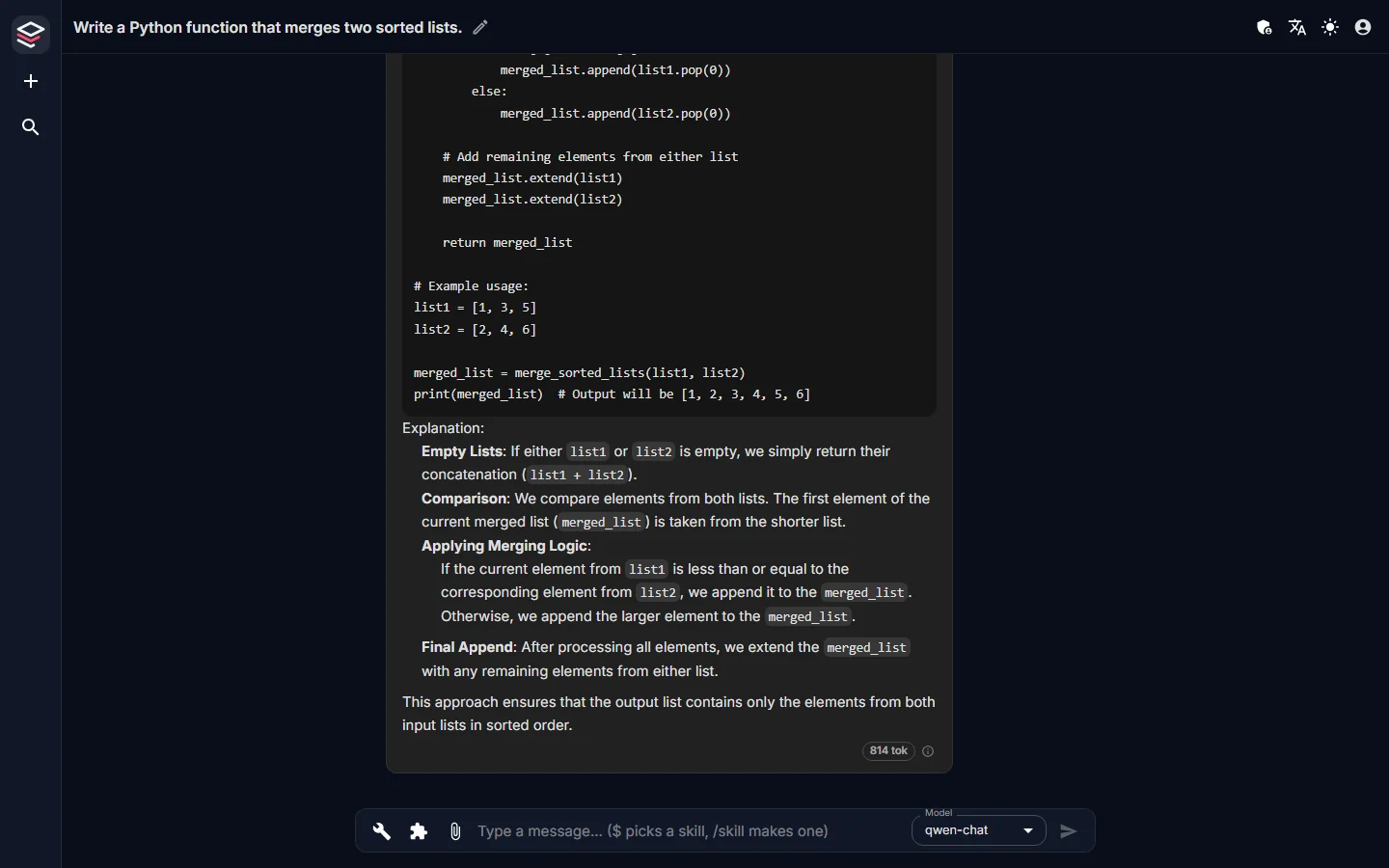
An OpenAI-compatible /v1, plus open-source SDKs for .NET and TypeScript that add sessions, tools and a ready chat panel. Every app gets the organization's skills, knowledge and tools through that one endpoint, under the same rules as the chat.
from openai import OpenAI

client = OpenAI(
    base_url="https://ai.example.internal/v1",
    api_key="<your Fadenstack key>",
)

reply = client.chat.completions.create(
    model="team-assistant",
    messages=[{"role": "user",
               "content": "Summarise ticket 4471"}],
)
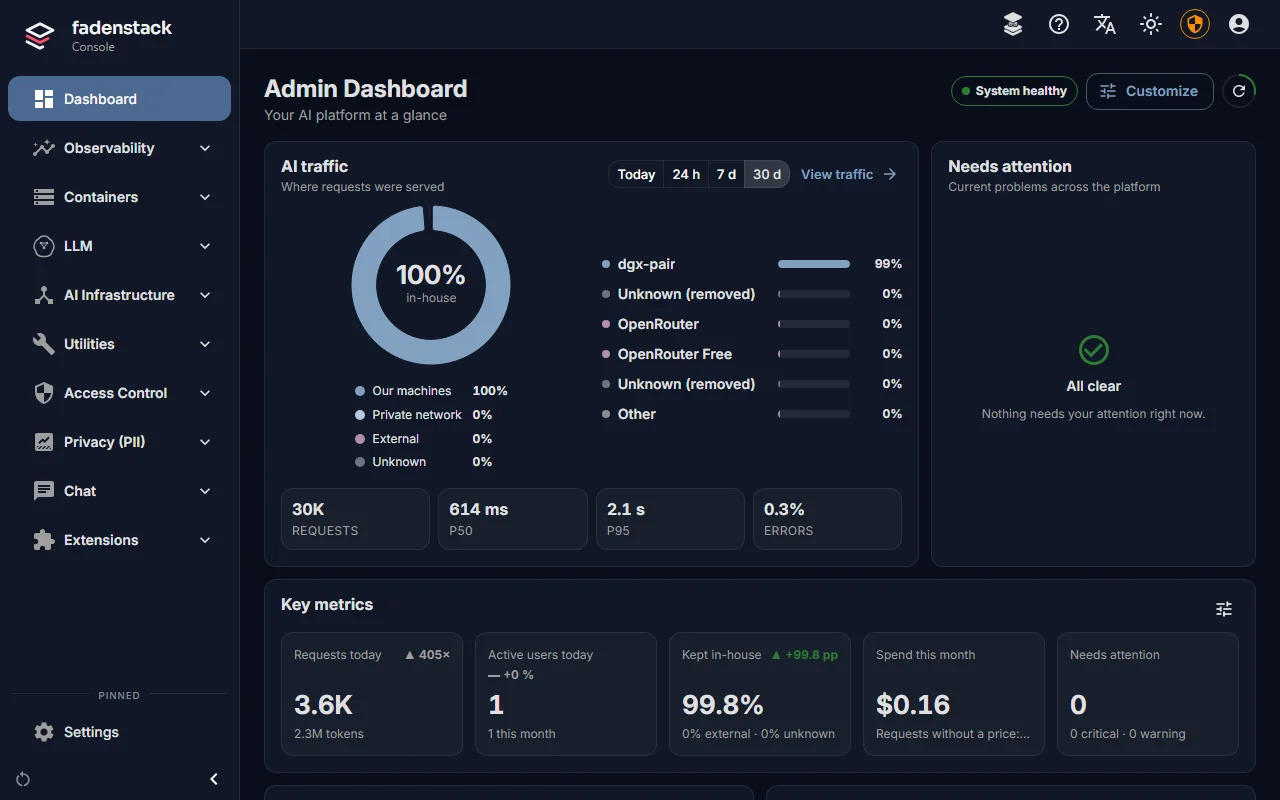
print(reply.choices[0].message.content)Users and roles, models and GPU machines, skills, MCP servers, privacy rules, usage per user and the audit log, in one place, on your servers.
Agents
Assistants in the browser and in Office, free to use. They answer with your organization's models, through your Fadenstack server, and they ask before they change anything.
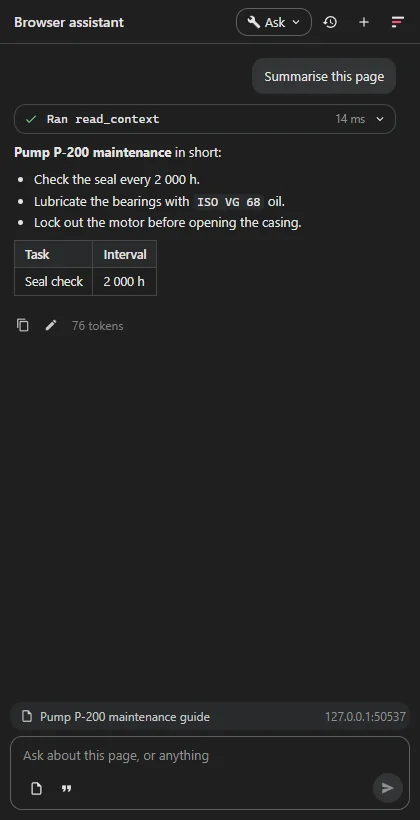
Reads the page you have open, answers about it, reads PDFs, compares tabs and writes into the form or mail you are working on.
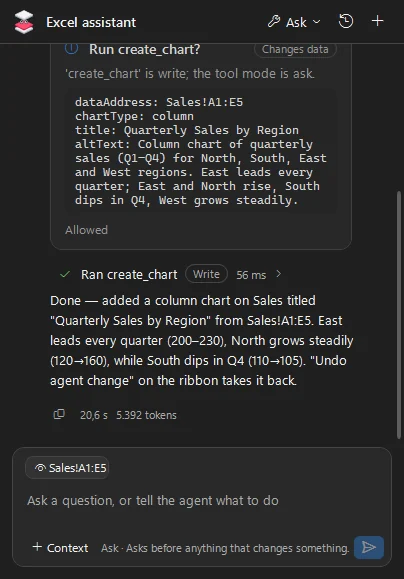
Summarise a document, add a chart, comment a draft. By default every change waits for the user's go, and most can be undone.
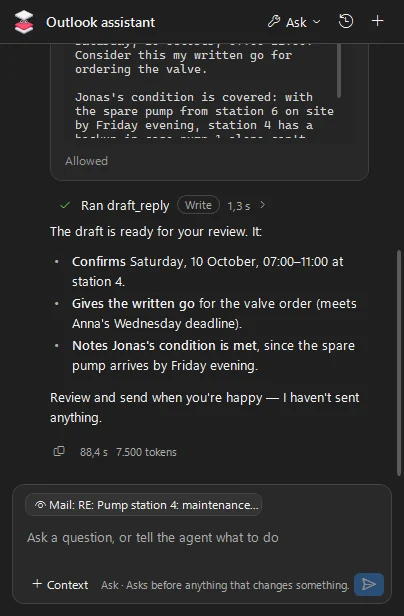
Reads the thread, drafts the reply and leaves it for you to send. It never sends anything itself.
Which model answers, who may use the agent and which of the app's tools it may run.
The server keeps the rules and the usage; the chat history stays in the app.
The same assistant outside the browser and Office.
Managed once
Every chat and every agent draws on the same three things, and IT manages each of them in one place.
Skills
Your team's checklists, formats and procedures as versioned instructions. Share one with people, groups or everyone; publish a new version and every chat and agent uses it.
Knowledge
Your documents, searched by the model itself, with the source named in the answer.
Tools
MCP servers are registered once on the server, hosted ones or your own, and every agent that is allowed can call them.
Agents can also bring tools of their own, like the open document or files on the user's machine. Each session's policy decides where tools run.
How a request travels
Chats, agents and apps all take the same path through Fadenstack, and every request is recorded: who sent it, which model answered, where it ran and which skills and tools it used.
Limits apply and the model's name finds its route.
History, the team's skills and the allowed tools join the request.
Where your policy says so, personal data is redacted before it reaches a model.
Your machines, your network, or a provider you have allowed.
On the server or on the user's side; your privacy policy covers their results too.
The answer streams back; the audit log records what was used.
Data stays yours
Fadenstack sorts every model by where it runs: your machines, your private network, or an outside provider. The dashboard shows the split; the trace shows each request.
Watch
Short videos for each kind of reader: the whole idea in ninety seconds, a day with Fadenstack, and the steps from a bare server to the first answer.
Get started
One Linux server runs Fadenstack, and it needs no GPU. The machines with GPUs join from the console.
$ pipx install fadenstack
$ faden deploy
✓ Docker and Compose v2 found
✓ Configuration written  # random keys and database passwords
✓ HTTPS with a certificate for this server
✓ Services started

  Console  https://ai.example.internal
API https://ai.example.internal/v1# the line from Machines → Add a machine
$ curl -fsSLO https://ai.example.internal/api/install/faden-agent.sh \
&& sudo sh faden-agent.sh --join https://ai.example.internal
✓ NVIDIA GPU found
✓ Agent running as a service
… Waiting for approval. Code on this machine: K7Q-4TD
✓ Approved in the console. Joined as gpu-01Search Hugging Face › chat models
an-open-chat-model
✓ Fits your cluster: 2 machines, 2 GPUs
Settings filled in for this model
Offered as team-assistant
[ Host ]# the chat
https://ai.example.internal
# the agents: Chrome, Word, Excel, PowerPoint, Outlook
Server https://ai.example.internal
# your apps: any OpenAI client
base_url "https://ai.example.internal/v1"Documentation
help.fadenstack.com
Also built into every install at /help, for the version you run.
developers.fadenstack.com
Everything you need to build on Fadenstack.
Editions
Apache-2.0
Free
The whole server, open source.
/v1 APIFree to use
Free
For every Fadenstack server.
Commercial licence
On request
For regulated teams, on the same platform.
Planned features are what we are building next; their scope and timing may change.
Compare the editionsWhy the name
In German, der rote Faden (the red thread) is the guiding idea that runs through something and holds it together as a whole.
The expression goes back to Goethe's Die Wahlverwandtschaften (Elective Affinities, 1809). He describes a red thread woven through every rope of the English Royal Navy: it could not be pulled out without unravelling the rope, and even a small piece could still be recognized as belonging to the Crown.
Fadenstack is that thread through your organization's AI. Chat assistants, agents, data, models, tools and infrastructure are connected once, governed in one place, and traceable end to end.
Install on one Linux server, add a GPU machine from the console, and invite your people.